

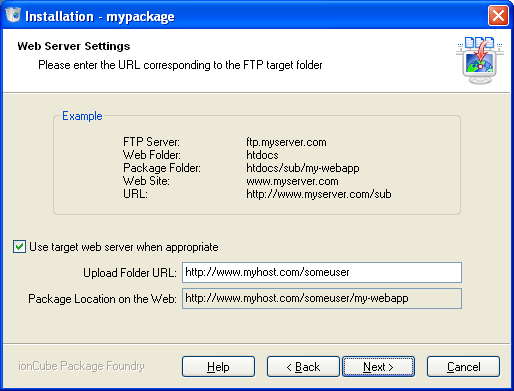
The installer will need to access the application being installed via the web. The application will be uploaded to an FTP server, so the URL of the web server corresponding to the FTP server needs to be entered on this page
Often it is possible to work out the correct URL automatically, and the installer will attempt to make a guess. If the Upload Folder URL field has been filled in, then you should just click the Next button to proceed to the next page of the installer.
If you click the Help button on the HTTP Settings page of the installer wizard, then this help system will show some examples, based on your FTP settings, for what you might enter in the Upload Directory URL field.
|
Copyright 2002-2024 ionCube Ltd. All rights reserved. Installer created with the ionCube Package Foundry |